Announcement

Collapse
No announcement yet.

Country Flag Icon on Postbit

Collapse
This is a sticky topic.
X
X
Collapse
First Prev Next Last
 
  • Filter
  • Time
  • Show
Clear All
new posts

    Paid Mod Country Flag Icon on Postbit

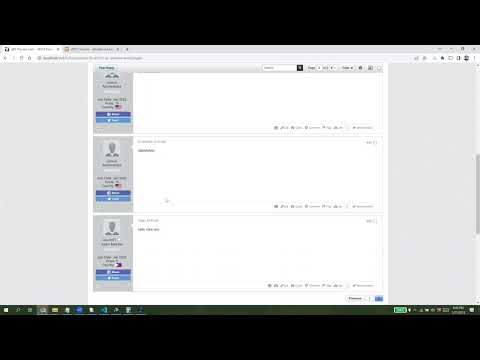
    Display Country flag icons on postbit using this mod. It shows the country flag of the user based on the value of the Country Profile Field.

    This plugin is very useful for forums that have users from different countries and regions. It adds a nice visual touch to the posts and helps users to identify the location of other users. It also creates a sense of community and diversity among your forum members.

    Click image for larger version  Name:	image.png Views:	0 Size:	43.6 KB ID:	26006

    Features:
    1. Displays flag icons for countries using a single sprite image file instead of individual flag image files. This means less overhead of loading a single image vs multiple images.
    2. Does not require editing templates. Simply install the Product XML in AdminCP.
    3. Requires file uploads on the server to upload CSS file and flag sprite image file.
    4. Shows tooltip with the country name. The tooltip appears on hover.
    5. The list of countries to use in creating the Country profile field is included in the readme file.
    6. Can show both Country label + icon or icon only.
    7. Can show "wave effect" on flag icons. Defaults to none.
    8. Can choose different flag icon sizes: Small, Medium, Large, X-Large. Defaults to Medium. Larger sizes may only look good if Display Mode option is set to 'Show Country Flag Icon Only' only.
    9. Here's the complete mod options:
    Click image for larger version  Name:	image.png Views:	0 Size:	196.6 KB ID:	26007

    CSS Customization:
    To center the flag in vB6, add the following custom CSS in css_additional template:
    Code:
    .b-userinfo__additional-info--country {
        text-align: center;
    }
    Compatibility:
    • Compatible with vBulletin 5 and 6 (self-hosted).
    • Compatible with PHP 8.
    • Not compatible with vBCloud version.
    Demo:


    This mod is also installed on this site. This is different and better than the old one used here.

    Price:
    $25 (Branding-free)​
    Buy Now Add to Cart View Cart

    Need help or not comfortable installing this mod? Purchase the installation service below:

    Product Installation Add-On: $20
    Purchase this product add-on to get professional installation of this mod from us.

    Add to Cart View Cart


    Don't have a PayPal account yet or want to use a new account to purchase this mod? Sign up with PayPal now and get $5 reward!

    Want to pay using Credit/Debit Card? Contact us and we will send you an invoice where you can use your own card.


    ​​
    Last edited by glennrocksvb; 03-16-2025, 03:13 PM.
    Buy me a coffeePayPal QR Code
    My Amazon Affiliate Link
    Fast vBulletin VPS Host:
    This site is hosted by IONOS

    #2
    I just realized that in the readme file included in the mod package, I specified "Single-Selection Radio Buttons" as the Profile Field type for creating the Country profile field. There's nothing technically wrong with it but it's better to use "Single-Selection Menu" instead. Using the former takes up a lot of space since each of the 200+ countries is displayed as a radio button option as compared to the latter where the countries are displayed in a dropdown. Unfortunately, vB5 does not allow changing the field type on an already created field. You'd have to create a new field which means all the users who have already set their country in their User Profile will be reset. If you've purchased this mod, it may be too late for you to change. Sorry about that but as I mentioned, there's nothing technically wrong with using "Single-Selection Radio Buttons".

    I have updated the readme in the mod package to use "Single-Selection Menu" for future customers.
    Buy me a coffeePayPal QR Code
    My Amazon Affiliate Link
    Fast vBulletin VPS Host:
    This site is hosted by IONOS

    Comment


      #3
      Dear Glenn,
      can you modify this mod to get data from user IP?, as many users are not selecting their country in profile.

      Comment


        #4
        This would require a third-party Geo Location service to be able determine the country from an IP address and this may not be a free service. If you want users to select their country, then make the Country field required.
        Buy me a coffeePayPal QR Code
        My Amazon Affiliate Link
        Fast vBulletin VPS Host:
        This site is hosted by IONOS

        Comment


          #5
          If you use Cloudflare on your vB5/vB6 forum, it is possible to get the country of the end-user based on their IP address for free. Cloudflare has an option called IP Geolocation under Network, wherein if you enable it, Cloudflare will include the country code of the visitor location with all requests to your website. You can use the country code from Cloudflare on the Registration page to set the default country of the user in the Country field dropdown. You can display the Country profile field on the Registration page by going to AdminCP > User Profile Field Manager ​and then editing the Country field and choosing "No, but display at registration" from the "Field Required" dropdown.

          This will also require updating this mod to implement the logic for passing the country code from Cloudflare to the Country dropdown on Registration page. Please let me know if anyone of you is interested.

          I have implemented this on this site. You can test it by visiting the registration page while logged out and observing the Country dropdown if it automatically chooses your country correctly. If you are on VPN, you can also try setting your VPN region to a different country and see if the Registration page recognizes your location correctly.

          Last edited by glennrocksvb; 09-04-2023, 10:44 PM.
          Buy me a coffeePayPal QR Code
          My Amazon Affiliate Link
          Fast vBulletin VPS Host:
          This site is hosted by IONOS

          Comment


            #6
            I installed the mod, the flag is not showing just the phrase, I upload all files to right directory. I'm on php 8.1 and vb 6.0.6

            Comment


              #7
              sorry. I uploaded it to wrong directory

              Comment


              • glennrocksvb
                commented
                Editing a comment
                Glad you got it working and thanks for your purchase!

              #8
              Love the mod. How can I center the flag?

              Comment


                #9
                It looks like it's centered in vB5 but not in vB6. To center it on vB6, add the following custom CSS in css_additional template:
                Code:
                .b-userinfo__additional-info--country {
                    text-align: center;
                }
                Last edited by glennrocksvb; 11-18-2024, 09:59 AM.
                Buy me a coffeePayPal QR Code
                My Amazon Affiliate Link
                Fast vBulletin VPS Host:
                This site is hosted by IONOS

                Comment


                • glennrocksvb
                  commented
                  Editing a comment
                  I've also added the same code in the first post.

                #10
                Originally posted by glennrocksvb View Post
                If you use Cloudflare on your vB5/vB6 forum, it is possible to get the country of the end-user based on their IP address for free.

                You can use the country code from Cloudflare on the Registration page to set the default country of the user in the Country field dropdown.
                We have Cloudflare with IP Geolocation. What code do we set in the user profile field Options to have the default country set, like it is on your Registration Page? I tried something like CF-IPCountry but that's not working.

                If you have time to update this for this mod, that wold be great.

                Comment


                • glennrocksvb
                  commented
                  Editing a comment
                  I will post the code shortly.

                #11
                Try this. I think this will work with or without Cloudflare.
                1. Log in to your forum as an admin with Sitebuilder permissions
                2. Navigate to the Registration page.
                3. Toggle Edit Site to ON.
                4. Click Edit Page.
                5. Drag and drop an HTML Module onto the page below the Register Module.
                6. Edit the configuration of the HTML Module by clicking the Pencil icon.
                  1. Enter Title. For example, Auto-Select Country JS
                  2. Uncheck all 3 checkboxes in the "Show module at these screen sizes" option. We don't need to display this module. We only want to run it internally.
                  3. Paste this code in the Module HTML textarea. Update the countryFieldId variable to the corresponding field ID.
                    Code:
                    		<script>
                    		(function () {
                    		  window.addEventListener('load', function () {
                    		    $.get('https://speed.cloudflare.com/meta', (data) => {
                    		      if (data && data.country) {
                    		        var countryFieldId = 'field8';
                    		        var countrySelect = $(`.registration-widget select[name="userfield[${countryFieldId}]"]`);
                    		        var countryValue = Number(countrySelect.find(`option:contains([${data.country}])`).val());
                    		        if (countryValue > 0) {
                    		          countrySelect.selectBox('value', countryValue);
                    		        }
                    		      }
                    		    });
                    		  });
                    		})();
                    		</script>
                  4. Keep the default Module Permissions. It doesn't matter if this module is set to Show to All Usergroups since the Registration page itself is only viewable by guests.
                  5. Set Hide Title option to Yes or No. It doesn't matter if it is set to Yes since we are hiding this module anyway.
                7. Click Save button.
                Buy me a coffeePayPal QR Code
                My Amazon Affiliate Link
                Fast vBulletin VPS Host:
                This site is hosted by IONOS

                Comment


                  #12
                  Thanks you so much
                  It works like a charm.

                  Comment


                  • glennrocksvb
                    commented
                    Editing a comment
                    You're welcome. Thanks for confirmation the code works.

                  #13
                  In the USER table there is a row 'location' and I think it's there since vB5. I'm not sure what the trigger is but since our upgrade to v6.1.0 (feb 1, 2025) the actual location is added for new registrations, and for a few already signed up (and only very active) users. It could be that updating the profile is also a trigger to fil the 'location' field. Users who signed up before the upgrade has the 'location' set as UNKNOWN. Unfortunately.

                  I don't know if this is reliable, but for now I see that all our new registrated users have a location added in the 'location' row of USER table, since Feb 1st (v6.1.0).

                  example:
                  US:CA
                  BR:SP​

                  Comment


                    #14
                    I think the Location column in the user table is displayed in the Location column on Memberlist page.
                    Buy me a coffeePayPal QR Code
                    My Amazon Affiliate Link
                    Fast vBulletin VPS Host:
                    This site is hosted by IONOS

                    Comment


                      #15
                      I love the idea of this mod and it looks great on this site but with 66,000 existing members, I don't like the chances of many of the existing ones setting their country in the profile.

                      The cloudflare lookup in post #11 above is really cute (and https://speed.cloudflare.com/meta does work without being a cloudflare customer)

                      Is there any way we could trigger an update to an empty Country Profile Field when a user logs on or posts to the forum instead of on registration?

                      Comment

                      Latest Posts

                      Collapse

                      Working...
                      X
                      Searching...Please wait.
                      An unexpected error was returned: 'Your submission could not be processed because you have logged in since the previous page was loaded.

                      Please push the back button and reload the previous window.'
                      An unexpected error was returned: 'Your submission could not be processed because the token has expired.

                      Please push the back button and reload the previous window.'
                      An internal error has occurred and the module cannot be displayed.
                      There are no results that meet this criteria.
                      Search Result for "|||"