
Announcement

Collapse
No announcement yet.

Embedded Audio Attachments Player

Collapse
X
Collapse
First Prev Next Last
 
  • Filter
  • Time
  • Show
Clear All
new posts

    Paid Mod Embedded Audio Attachments Player

    This is a vB5 mod that transforms existing audio file attachments into an HTML5 Audio player.

    Click image for larger version  Name:	image.png Views:	1 Size:	47.3 KB ID:	13274

    Click image for larger version  Name:	image.png Views:	1 Size:	76.9 KB ID:	13275

    Notes before purchasing this mod:
    • This is compatible with self-hosted version only and not with vBCloud.
    • There is a known issue on vBulletin where audio (as well as videos) do not play on iOS devices on vB 5.4.4 and below. There is a bug ticket for this at https://tracker.vbulletin.com/vbulle...sues/VBV-18743. vBulletin has fixed this issue and the fix was released in vB 5.4.5 version.
    • Make sure your server has enough storage for uploaded audio files.
    • Make sure your server has enough bandwidth for high data traffic due to large audio.
    • Make sure you can set Attachment Storage type to File System instead of Database. (Optional but recommended)
    • Make sure your server is powerful enough to handle large audio uploads.
    • Make sure that Max Post Size and PHP Maximum Upload Size values in PHP configuration are equal or greater than the Max File-size you set in the MP3 extension. Ask your host if you need help changing the PHP configuration.
    • Once you purchased this mod and downloaded it, you can no longer ask for a refund.

    NOTE: Since vB 5.6.8, embedded videos have been natively supported (see this for more details). So this mod is no longer needed.

    Watch the demo video screencast from YouTube below.
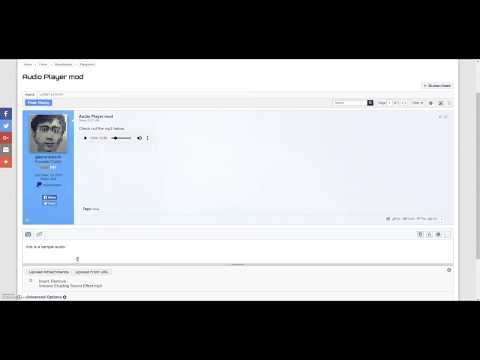
    Last edited by glennrocksvb; 09-01-2024, 10:29 PM.
    Buy me a coffeePayPal QR Code
    My Amazon Affiliate Link
    Fast vBulletin VPS Host:
    This site is hosted by IONOS

    #2
    We just installed this mod and it works like a charm! Funny thing is we are on 5.4.4 and there doesn't seem to be an issue with seeing and playing the player on my old iPhone 5

    Comment


      #3
      Thanks for the purchase and nice feedback. Glad it's working for you pretty well.

      I don't know why the known vB5 issue on iOS does not occur on your iPhone. But the bug has been fixed by vB and it is included in the upcoming 5.4.5 version which will soon be released. I noticed that Wayne just started the 5.4.5 discussion thread at https://www.vbulletin.com/forum/foru...5-release-here
      Buy me a coffeePayPal QR Code
      My Amazon Affiliate Link
      Fast vBulletin VPS Host:
      This site is hosted by IONOS

      Comment


        #4
        Hi,

        Does this product work under vB 5.5.0?

        Is it possible to place two instances of player inside one (in the same) post?

        Best Regards

        Comment


        • glennrocksvb
          commented
          Editing a comment
          Yes. They're just like any other attachments.

        #5
        Bought.

        I am getting the following error messages:

        1) The attachment storage directory does not exist or is not writable. The path is core/mp3/ and the mp3 directory is chomded to 777.

        The attachment storage directory does not exist or is not writable.


        2) Tested upload from url

        This is not a valid image file.


        Now, it is a fresh install with no hooks/products.

        Comment


        • glennrocksvb
          commented
          Editing a comment
          Thanks for the purchase. Please see my responses below.

        #6
        The attachment storage path should be absolute path not relative path.
        Buy me a coffeePayPal QR Code
        My Amazon Affiliate Link
        Fast vBulletin VPS Host:
        This site is hosted by IONOS

        Comment


          #7
          And it's recommended that the attachment directory is above the web root. Otherwise, the attachments can be accessed directly in the browser bypassing the file permissions set by vBulletin.
          Buy me a coffeePayPal QR Code
          My Amazon Affiliate Link
          Fast vBulletin VPS Host:
          This site is hosted by IONOS

          Comment


            #8
            OK it works well from the database. I will re-test the storage in the file system later.

            Question: Is it possible to center (custom) the player from the left side. Is there a template?

            See the included attachment
            Attached Files

            Comment


              #9
              I will take a look at what CSS to use to center the player when I get home in about an hour or so.
              Buy me a coffeePayPal QR Code
              My Amazon Affiliate Link
              Fast vBulletin VPS Host:
              This site is hosted by IONOS

              Comment


                #10
                Ok, here's how to center:
                Code:
                .audio-attach-player {
                    margin-left: auto;
                    margin-right: auto;
                }
                .audio-attach-filename {
                    text-align: center;
                }
                Add the above custom CSS in css_additional template in AdminCP or in CSS Editor in Sitebuilder.
                Buy me a coffeePayPal QR Code
                My Amazon Affiliate Link
                Fast vBulletin VPS Host:
                This site is hosted by IONOS

                Comment


                  #11
                  This is really interesting as I’ve been looking for this quite some time. Do you think it is possible to embed only the audio of a YouTube video instead of uploading an MP3 file?

                  Comment


                  • glennrocksvb
                    commented
                    Editing a comment
                    This mod only converts existing file attachment (mp3 in this case) in a post into an audio player instead of displaying it as a link like in other non-image attachments.

                  #12
                  Originally posted by glennrocksvb View Post
                  Ok, here's how to center:
                  Code:
                  .audio-attach-player {
                  margin-left: auto;
                  margin-right: auto;
                  }
                  .audio-attach-filename {
                  text-align: center;
                  }
                  Add the above custom CSS in css_additional template in AdminCP or in CSS Editor in Sitebuilder.
                  Done! Thank you very much !

                  Last question:

                  How to change the colors (from black to a light grey) and how to decrease the size of the player (by example 20%)

                  Regards

                  Comment


                  • glennrocksvb
                    commented
                    Editing a comment
                    To change width, you can do this:
                    Code:
                    .audio-attach-player {
                        width: 320px;
                    }
                    But to fully customize the colors and the controls, you need Javascript not just CSS.

                  #13
                  It works!

                  I can live with the black color. I am very happy with this product.

                  Thank you very much!

                  Comment


                    #14
                    Oh, I am getting an issue. Online, I see two players. Offline, only one (the last one in the last post). See the attached files.

                    A audio player + an image (uploaded or remote) in the same time/post are not showing for the guests (no problen for a connected member).

                    Any idea?
                    Attached Files

                    Comment


                      #15
                      Fixed by set the Forum Viewing Permissions/Can Download Non-Image Attachments permission to Yes for the Usergroup Guest Users.

                      Comment


                      • glennrocksvb
                        commented
                        Editing a comment
                        Glad you figured it out.

                    Latest Posts

                    Collapse

                    Working...
                    X
                    Searching...Please wait.
                    An unexpected error was returned: 'Your submission could not be processed because you have logged in since the previous page was loaded.

                    Please push the back button and reload the previous window.'
                    An unexpected error was returned: 'Your submission could not be processed because the token has expired.

                    Please push the back button and reload the previous window.'
                    An internal error has occurred and the module cannot be displayed.
                    There are no results that meet this criteria.
                    Search Result for "|||"


